Click any number. See how it was calculated and where it came from.

    Every number in an answer is computed by the platform from your reconciled ledger, never typed by the model. One click opens its evidence: the formula, the lookups behind it and the data read from your systems, with the rows of every step as Excel.
    The answer, and the evidence for every number in it

    Every number in the text carries a marker. Click one and it leads the panel beside the conversation, with what it means and every step that produced it.

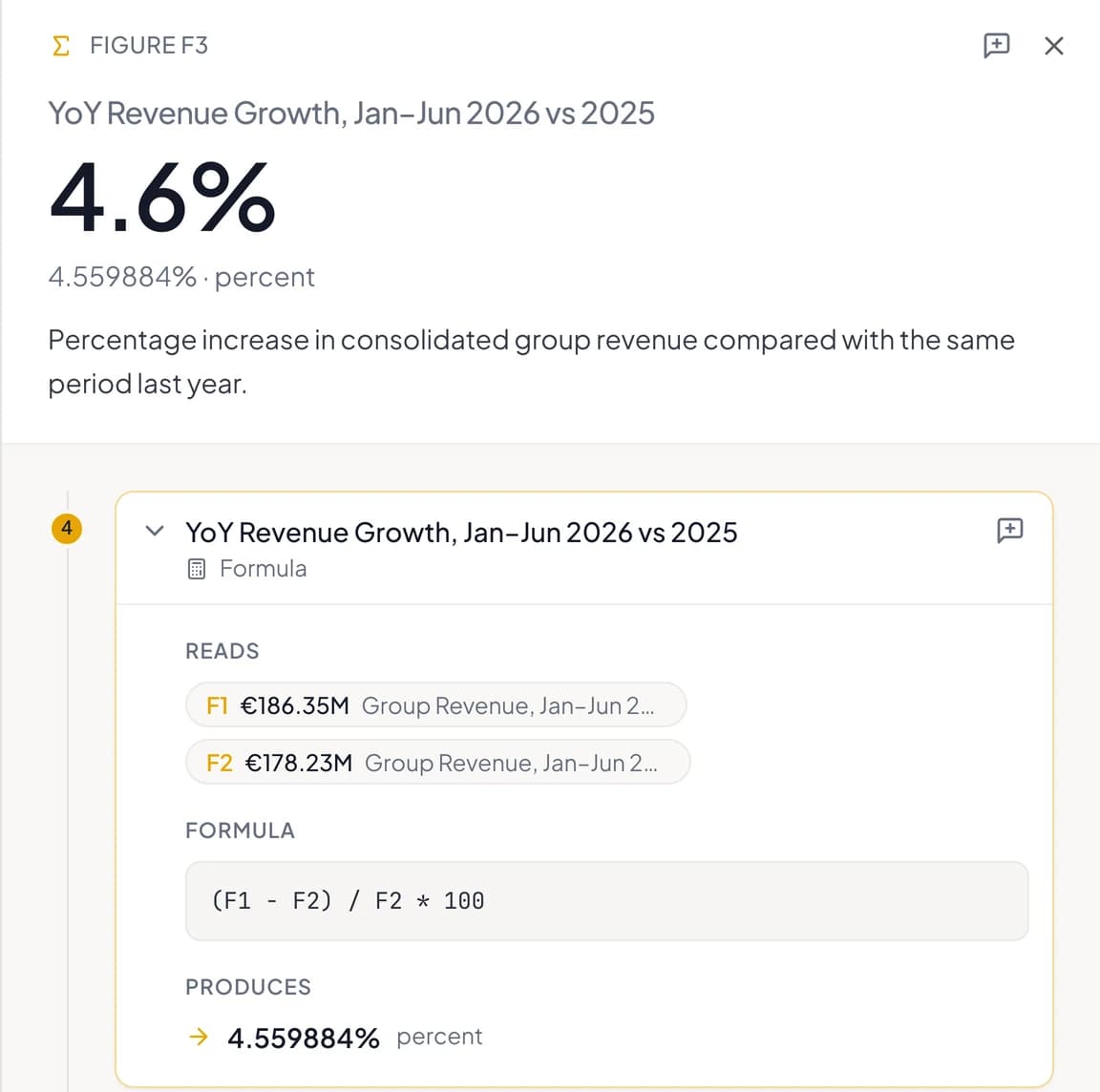
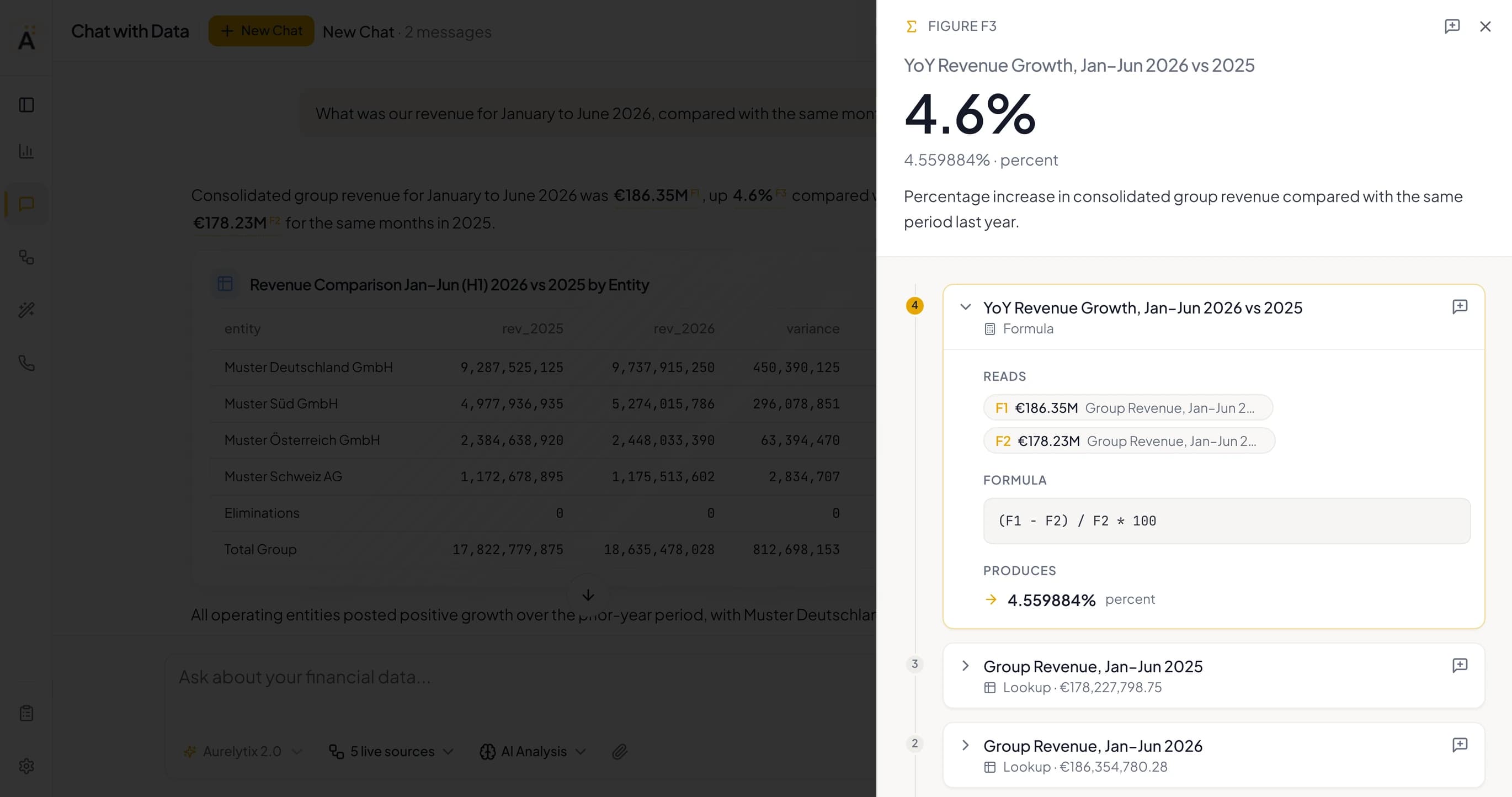
    Chat with Data with the evidence panel open on F3: revenue growth of 4.6% for January to June 2026 compared with the same months of 2025, its exact value 4.559884 percent, and the formula step that produced it.
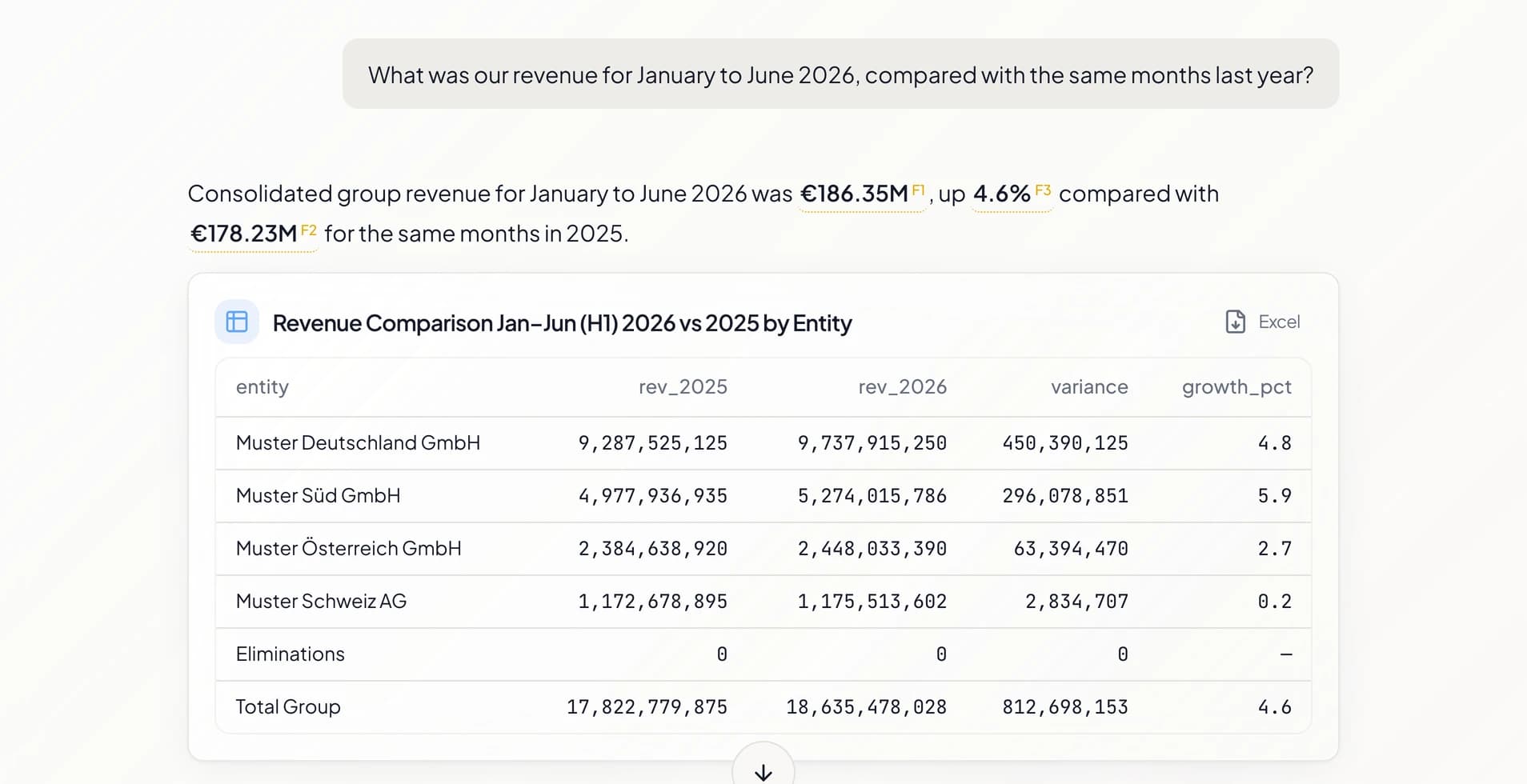
    An answer with three marked numbers, €186.35M as F1, 4.6% as F3 and €178.23M as F2, above a table of revenue by entity for both half-years.

    Numbers the model did not write

    Numbers in the answer are computed by the platform from your ledger and marked F1, F2 and so on. If the assistant writes a number that no computation backs, it is removed from the text and marked as unverified.

    The evidence panel for F3: YoY revenue growth, January to June 2026 against 2025, 4.6%, exactly 4.559884 percent, above its formula step reading F1 and F2.

    One click opens the evidence

    The number leads the panel at full size, with its exact value, its unit and one sentence on what it means. Under it, every step that produced it, the last one open.

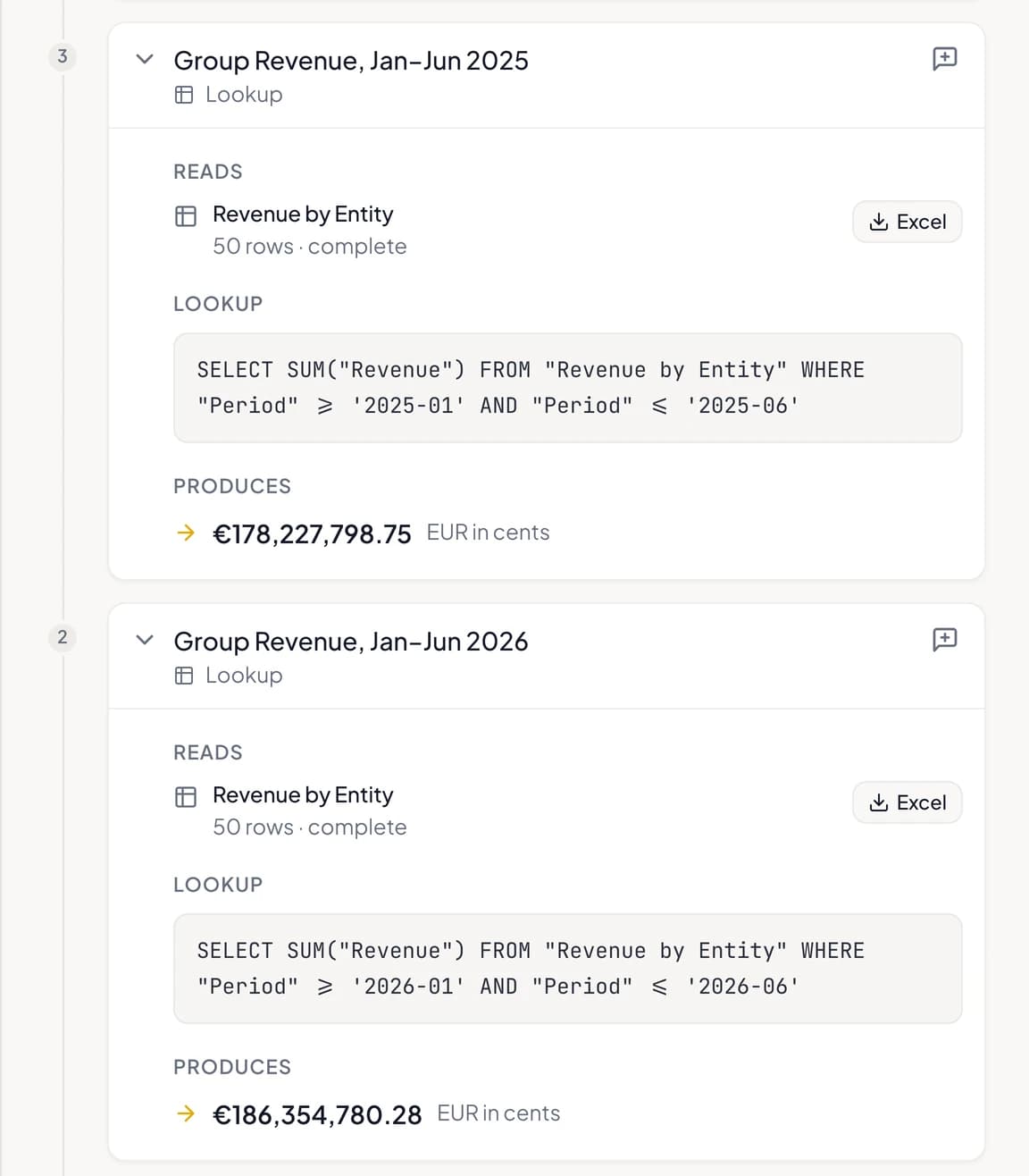
    Two lookup steps, each reading the table Revenue by Entity with 50 complete rows and an Excel button, the lookup that ran and the half-year total it produced.

    From the formula back to the ledger

    Each step states what it read, what it ran and what it produced: the formula over two numbers, the lookup that summed each half-year, the data read beneath them. A number a step reads opens its own evidence.

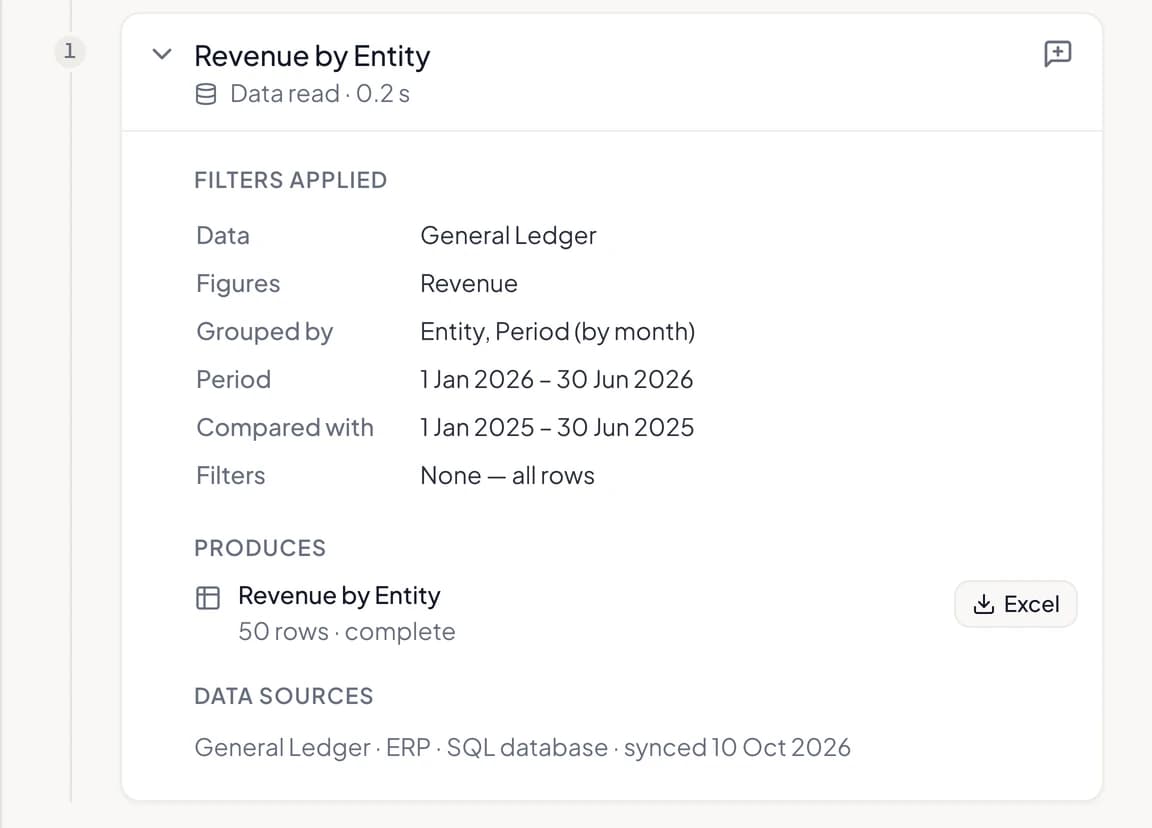
    The data read step: General Ledger revenue grouped by entity and month, January to June 2026 compared with 2025, no filters, 50 complete rows with an Excel button, and its data source synced on 10 October 2026.

    Filters you can read. Rows you can download.

    The data read is stated the way a spreadsheet states its filters: what was read, how it was grouped, the period, the comparison and the filters, then the system it came from and when it was last synced. The rows of every step download as Excel, the same file each time.

    From the source system to the sentence you read

    A number in an answer is the last link of a chain the platform keeps: the data read from your connected systems, each calculation on the way, and the value that reached the answer.

    Connected sources

    • ERP and accounting systems, banks, billing and CRM
    • Reconciled into one double-entry ledger
    • Each data read names its source and when it was last synced

    Evidence steps

    • Data read: what was read, with its filters, period and comparison
    • Lookup and calculation: the exact expression that ran
    • Formula: arithmetic over earlier results
    • The rows of each step, kept with it

    The number in the answer

    • Its value, exact value and unit
    • One sentence on what it means
    • Flagged when it was read from a sample
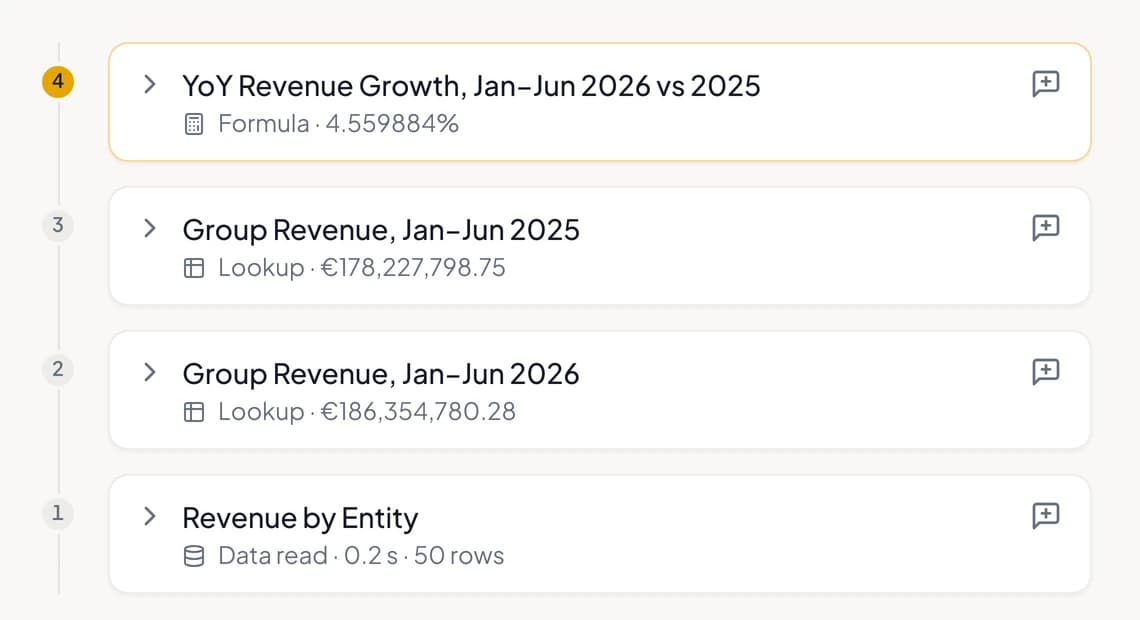
    The evidence timeline folded: the data read, two lookups and the formula that produced 4.6%, numbered from the source up.
    Four steps from the ledger to 4.6%. Each one opens.

    Built for numbers you have to defend

    What the platform keeps, what it refuses to pass off as fact, and where every number comes from.

    Unverified numbers
    A number the assistant writes without a computation behind it never reaches you as a fact: it is removed from the answer and marked as unverified.
    Samples
    A number computed from a sample of rows says so beside it, and its evidence shows which table was a sample.
    Excel by step
    Every table a step read or produced downloads as Excel, built from the rows kept with the step, so the file is the same each time it is requested.
    Questions about a number
    Attach a number, or a single step of its evidence, to your next question and ask about it directly.
    Shared conversations
    A conversation shared with your team keeps every number with its evidence, exactly as it was computed.
    Data handling
    EU-hosted and isolated per tenant. Never used to train models. Every computation on your data is logged.
    Excel and CSV
    A number can come from a workbook you attached. Its step names the file, the version and the sheet.Excel and spreadsheets
    Aurelytix AI
    Trace to source is part of Chat with Data in Aurelytix AI, which answers from your reconciled ledger.Aurelytix AI

    Where general-purpose AI stops

    An assistant can write a plausible number. A finance answer needs the calculation behind it and the system it came from, kept where anyone can open them.

    Bring a number you have to defend

    A walkthrough on your own systems: ask, click a number and follow it to its source.