Analyse any Excel workbook against your reconciled books.

    Forecasts, allocation keys and board packs in Excel, answered against the ledger they depend on. The original file stays untouched, every version is kept and every figure traces back to its source.

    One conversation for your Excel file and your books

    The cells you care about, the ledger behind them and the workbook you take away, held together by one version history.

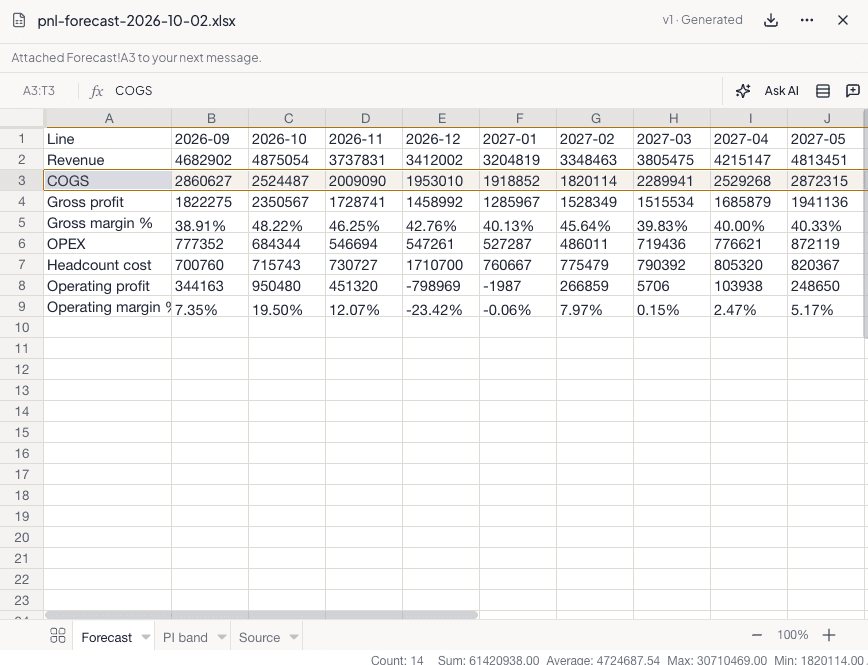
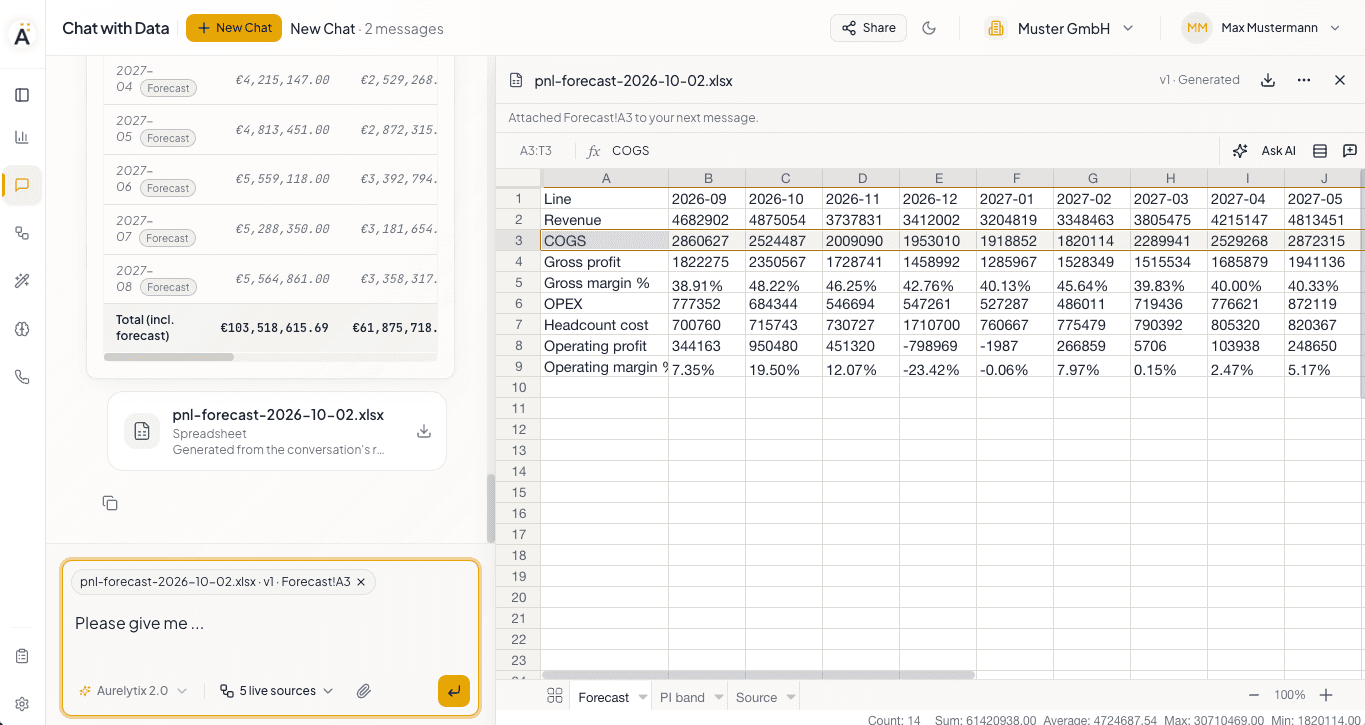
    Chat with Data with an Excel forecast workbook open in the preview panel. Row 3, COGS, is selected and attached to the next message.
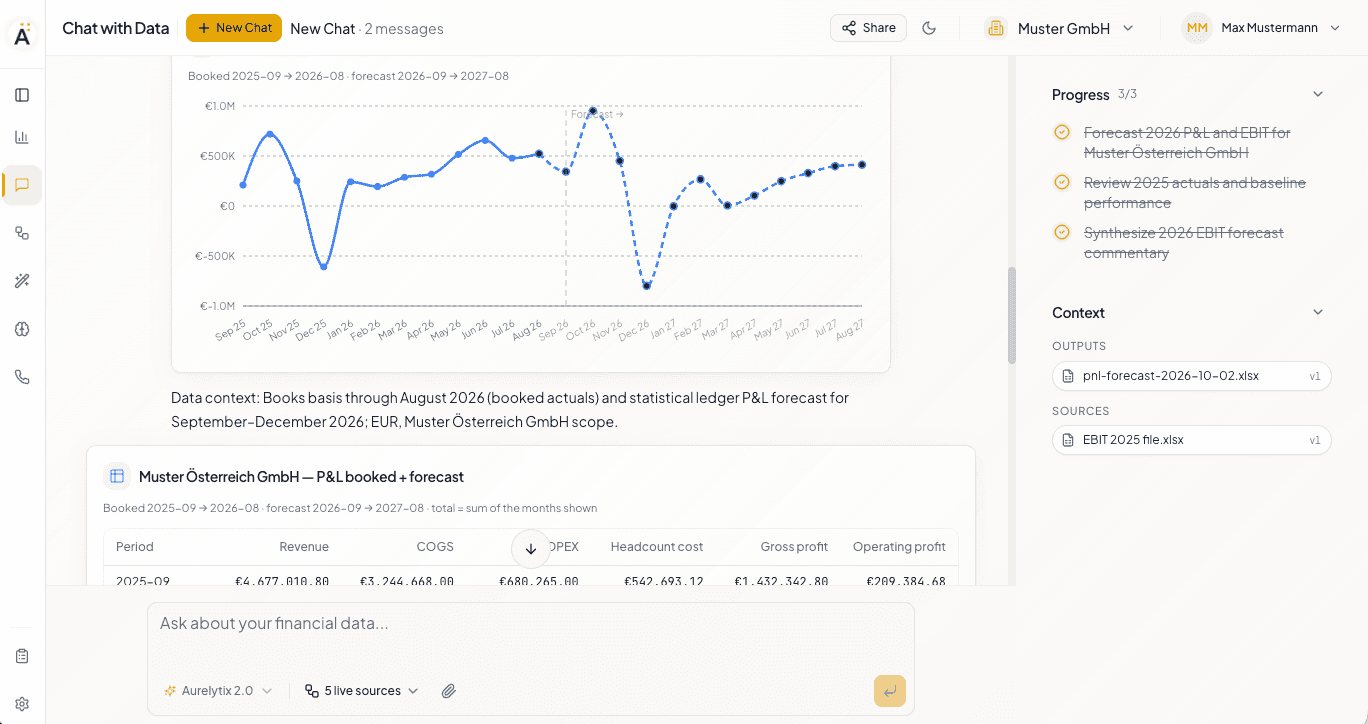
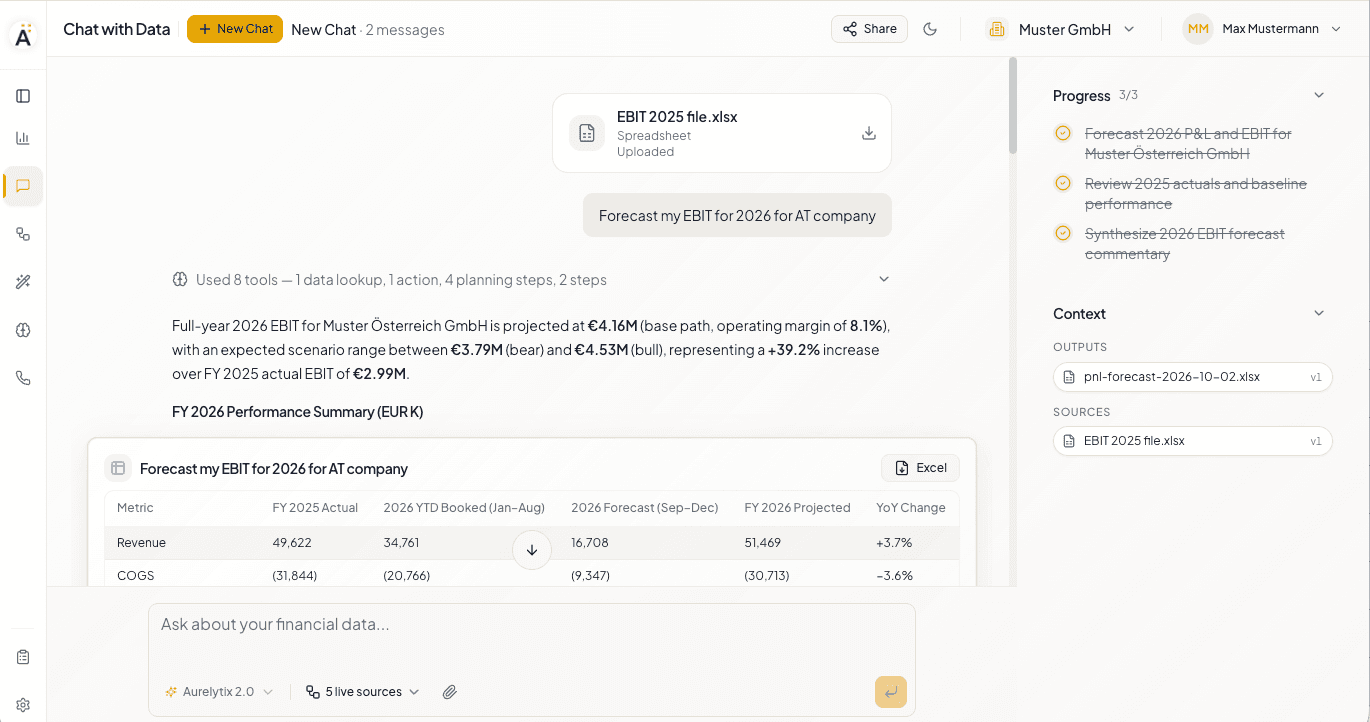
    An uploaded workbook, the question “Forecast my EBIT for 2026 for AT company”, and an answer with a summary table that has an Excel download button.

    File and ledger, one answer

    Plan, forecast and actuals in one answer. The figures in your file meet the figures in your ledger in the same table, ready to take into Excel.

    The workbook preview with the COGS row selected and the notice that the range was attached to the next message.

    Point at a range. Get a cited answer.

    Every figure in the answer comes back with its address. Select a range, a row or a column, and the reply cites exactly the cells it used.

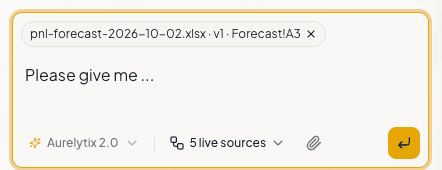
    The message box with the attached reference pnl-forecast-2026-10-02.xlsx, version 1, Forecast!A3.
    A chart of booked and forecast monthly results, followed by a data-context line and a table of the same figures.

    Booked and forecast, never confused

    Actuals come from the ledger, forecast months are marked as forecast, and every chart states its basis, period and scope.

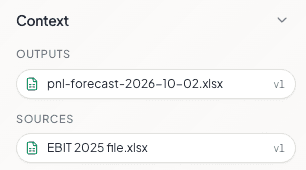
    The context panel with one output, pnl-forecast-2026-10-02.xlsx version 1, and one source, EBIT 2025 file.xlsx version 1.

    Every output knows its sources

    Your upload is never touched. Every generated file records the versions it was built from, so where a number came from always has an answer.

    One reconciled ledger. Every source. Your Excel workbooks on top.

    SAP, DATEV, your banks and your CRM reconcile into one canonical ledger with master records. Every workbook you bring is analysed against it, alone or several together, with no export and no VLOOKUP in between.

    Connected sources

    • ERP and accounting systems such as SAP and DATEV
    • Bank accounts at more than 170 banks
    • CRM and sales systems such as Salesforce
    • Databases and file uploads

    Canonical ledger and master records

    • One double-entry ledger, reconciled across sources
    • One record each for customers, suppliers, products and employees
    • Every figure traceable to its source record

    Your workbooks

    • An uploaded file becomes a table beside the ledger
    • One workbook against the books, or several workbooks together
    • Answers name the sheet and the cells they used
    The message box with a workbook reference attached and the selector of connected live sources.
    One question. Your workbooks. Every connected source.

    Built for the Excel files finance actually keeps

    Formulas kept as formulas. Every version kept. Limits stated, not discovered.

    Editing
    Values, formulas, formats, rows, columns and sheets, changed in one batch and saved as one version with a note. Edit by asking, or type, paste and fill straight into the preview.
    Formulas
    Formulas stay formulas. 43 functions are recalculated and verified against Excel before a version is saved. Anything else is marked pending and left for Excel to calculate on open, never replaced by a number.
    Versions
    Nothing is overwritten. Every version can be opened, restored or downloaded, and an edit made on an older version waits until you apply it to the current one.
    Exports
    An export carries its own audit trail: a contents sheet, one sheet per result, the source documents behind each figure with their reconciliation, and the data sources used. A partial list says it is partial.
    CSV files
    CSV stays CSV, byte for byte, with the delimiter detected and UTF-8 encoding. A formula written into a CSV is saved as its result, and the assistant says so.
    Limits
    30 MB per file, 1,000,000 cells and 256 sheets per workbook, 200,000 cells per saved edit. Charts, pivot tables and every part an edit does not touch come back exactly as they were. Legacy .xls files need saving as .xlsx first.
    Data handling
    EU-hosted and isolated per tenant. Never used to train models. Every computation on your data is logged, and cell contents, file names and comments are read as data, never as instructions.

    Where general-purpose AI for Excel stops

    Claude, ChatGPT and Copilot now edit Excel well. None of them connects a file to a reconciled ledger, traces an output to its sources, or ships an export with its reconciliation.

    Claude, ChatGPT and Microsoft Copilot all open Excel files, cite cells and apply edits described in plain language. Claude for Excel and ChatGPT for Excel run as add-ins inside Excel; Claude's chat offers a file download, and ChatGPT previews files in its desktop app. Copilot works inside Excel and records who changed what in its Change History.[1, 3, 7, 8, 11, 13]

    None of the three documents a link from a generated file back to the files it was made from, grounding in a reconciled ledger or bank data, or an export that carries source documents and a reconciliation. Their connectors cover market data and Microsoft 365 content.[1, 6, 7, 14]

    Claude offers EU hosting only through cloud marketplaces and without its connectors, and the add-in sits outside Enterprise audit logs. ChatGPT offers EU residency on enterprise plans. Copilot works within the EU Data Boundary, from which models provided by Anthropic are excluded.[4, 5, 10, 14]
    Based on each vendor's public documentation as of October 2026. Gemini in Sheets follows the same pattern and works best with native Sheets files. Product names are trademarks of their respective owners.[15]

    Sources

    1. [1]Anthropic — “Claude for Excel” product documentation (2026)
    2. [2]Anthropic — “Collaborate with Claude across Excel, PowerPoint, Word and Outlook” (May 2026)
    3. [3]Anthropic Help Center — “Create and edit files with Claude” (updated August 2026)
    4. [4]Anthropic — “Third-party platforms” for Claude office agents: feature availability on cloud marketplaces (2026)
    5. [5]Anthropic — “Claude for Excel” data handling: activity outside Enterprise audit logs; Compliance API (2026)
    6. [6]OpenAI — “ChatGPT for Excel” (March 2026)
    7. [7]OpenAI Help Center — “ChatGPT for Excel and Google Sheets” (2026)
    8. [8]OpenAI Help Center — “Creating and editing documents, spreadsheets, and presentations with ChatGPT Work” (2026)
    9. [9]OpenAI Help Center — “Data analysis with ChatGPT”
    10. [10]OpenAI — “Introducing data residency in Europe” (February 2025)
    11. [11]Microsoft — “Agent Mode in Excel is now generally available on desktop” (January 2026)
    12. [12]Microsoft — “What’s New in Excel — April 2026”: Edit with Copilot, Plan with Copilot
    13. [13]Microsoft — “What’s New in Excel — August 2026”: Change History skill
    14. [14]Microsoft Learn — “Data, privacy, and security for Microsoft Copilot” (July 2026): EU Data Boundary; models provided by Anthropic excluded
    15. [15]Google Workspace Updates — “Build and edit complex spreadsheets with Gemini in Google Sheets” (April 2026)

    Bring a workbook

    A walkthrough on your own file, with your own data.