Ask across your ERP, banks and CRM. See where each number came from.

    Your connected systems reconcile into one ledger, and Aurelytix answers from it. Click any number to see which systems it was read from, when they last synced, each calculation on the way and the rows as Excel.
    One answer across your systems, with the evidence for every number

    Ask once. Each number in the answer opens to the systems it was read from, the calculation that produced it and the rows behind it.

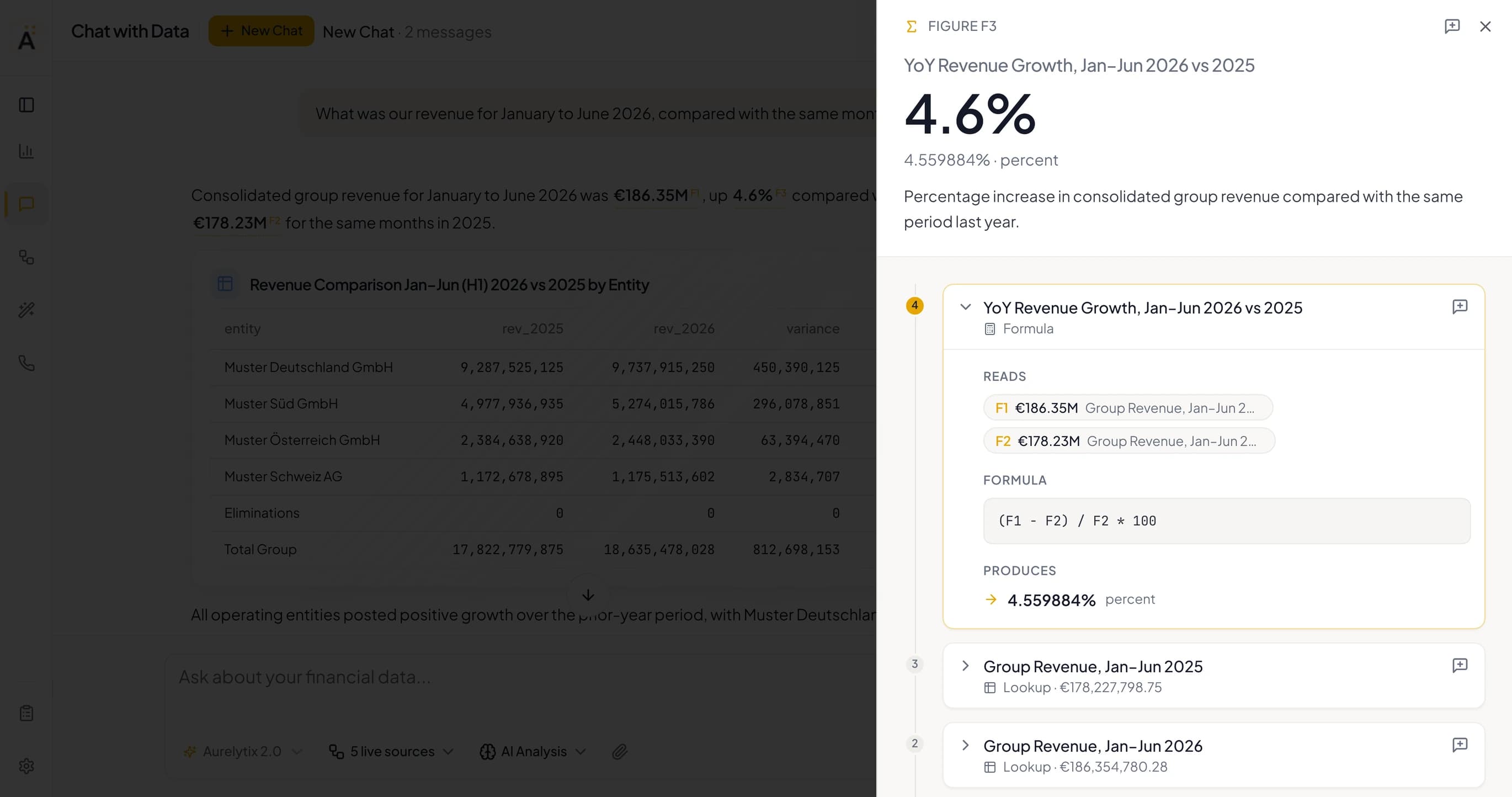
    Chat with Data with the evidence panel open on F3: revenue growth of 4.6% for January to June 2026 compared with the same months of 2025, its exact value 4.559884 percent, and the formula step that produced it.
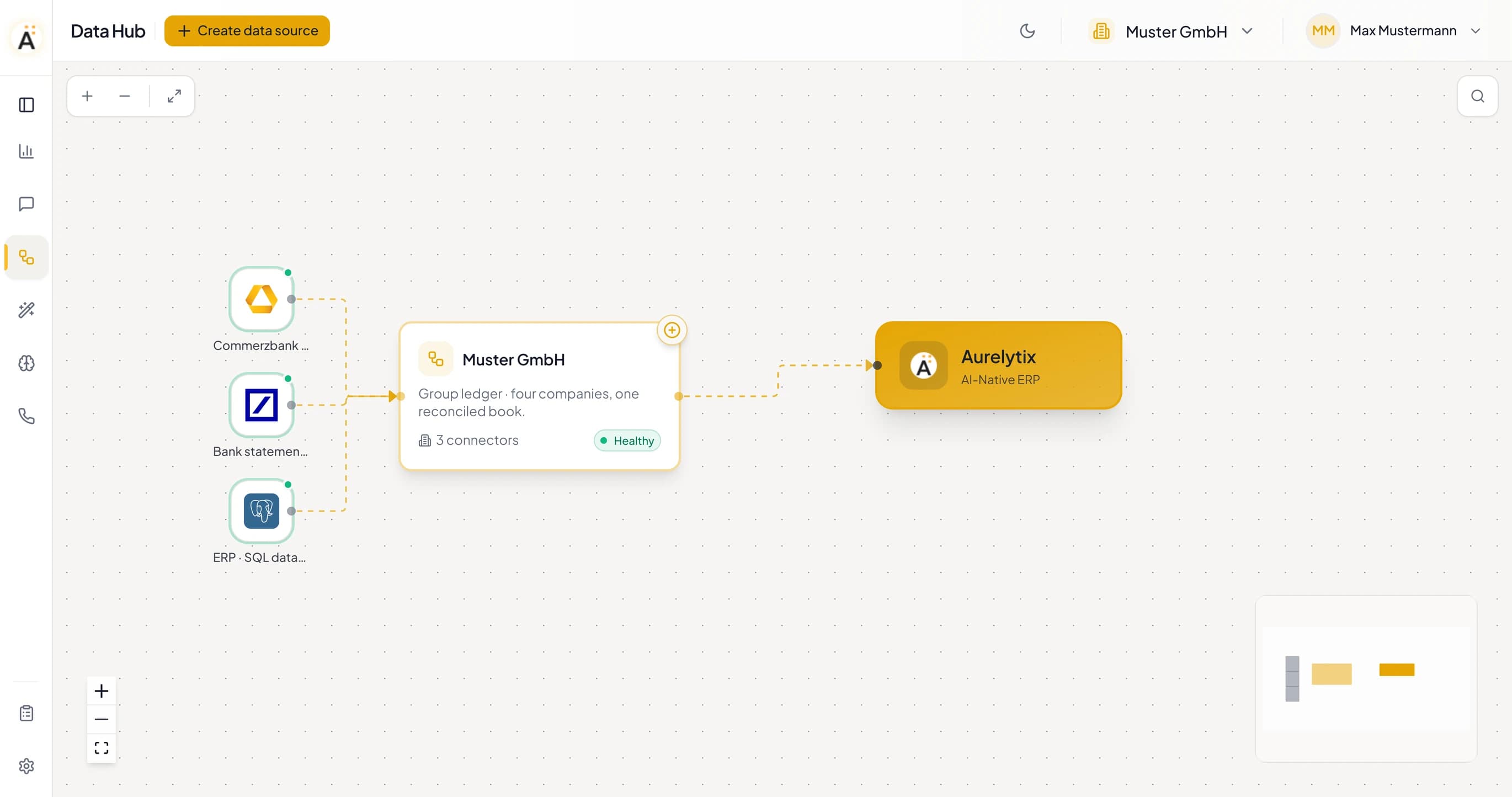
    The Data Hub: Commerzbank, bank statements and an ERP database connected to the Muster GmbH group ledger, which feeds Aurelytix.

    Your systems, one set of books

    ERP and accounting, banks, billing and CRM connect in the Data Hub and reconcile into one double-entry ledger. An invoice that arrives from two systems appears in the ledger once.

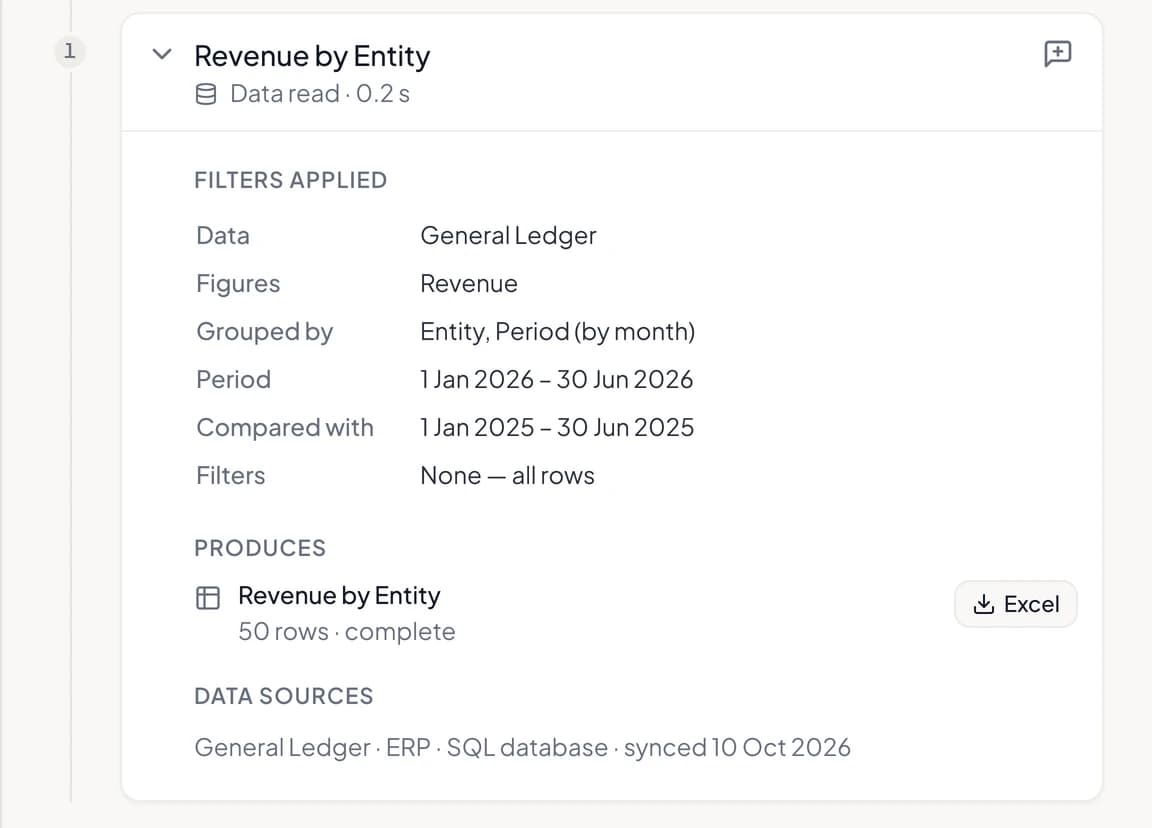
    The data read step: General Ledger revenue grouped by entity and month, January to June 2026 compared with 2025, no filters, 50 complete rows with an Excel button, and its data source synced on 10 October 2026.

    Where each number came from, and how current it is

    The data read behind a number lists every connected system its rows came from and when it last synced, with the period, the grouping and the filters stated the way a spreadsheet states them.

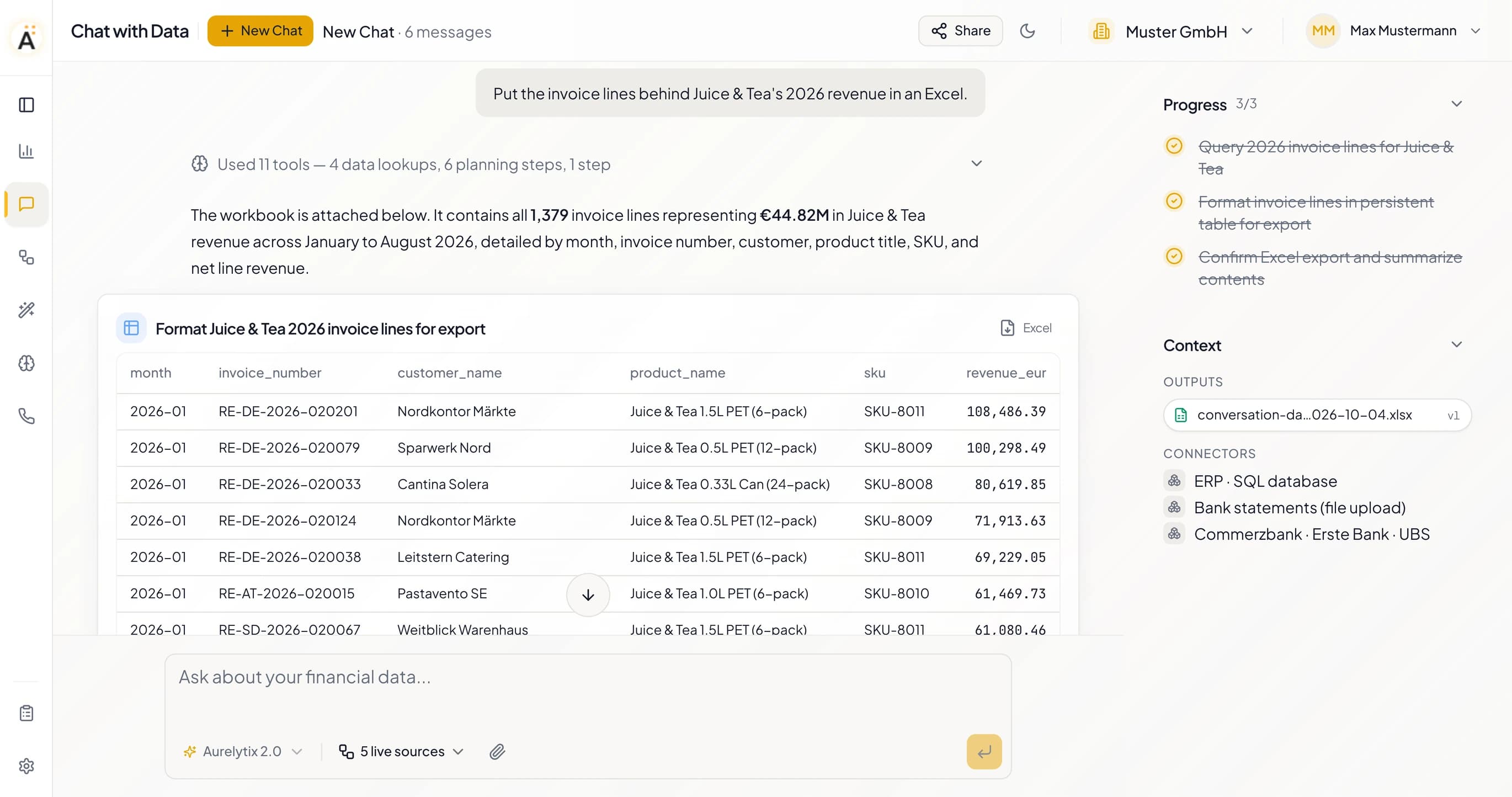
    The request “Put the invoice lines behind Juice & Tea's 2026 revenue in an Excel.” answered with 1,379 invoice lines worth €44.82M, a table of the lines and the workbook listed under Outputs.

    The lines behind any total, as Excel

    Ask for the invoice lines behind a number and they arrive as an Excel workbook, line by line, adding up to the total you asked about.

    From your systems to the sentence you read

    Whichever systems a number draws on, the platform keeps the chain: the data read from each, every calculation on the way and the value that reached the answer.

    Connected sources

    • ERP and accounting systems, banks, billing and CRM
    • Reconciled into one double-entry ledger
    • Each data read names its source and when it was last synced

    Evidence steps

    • Data read: what was read, with its filters, period and comparison
    • Lookup and calculation: the exact expression that ran
    • Formula: arithmetic over earlier results
    • The rows of each step, kept with it

    The number in the answer

    • Its value, exact value and unit
    • One sentence on what it means
    • Flagged when it was read from a sample
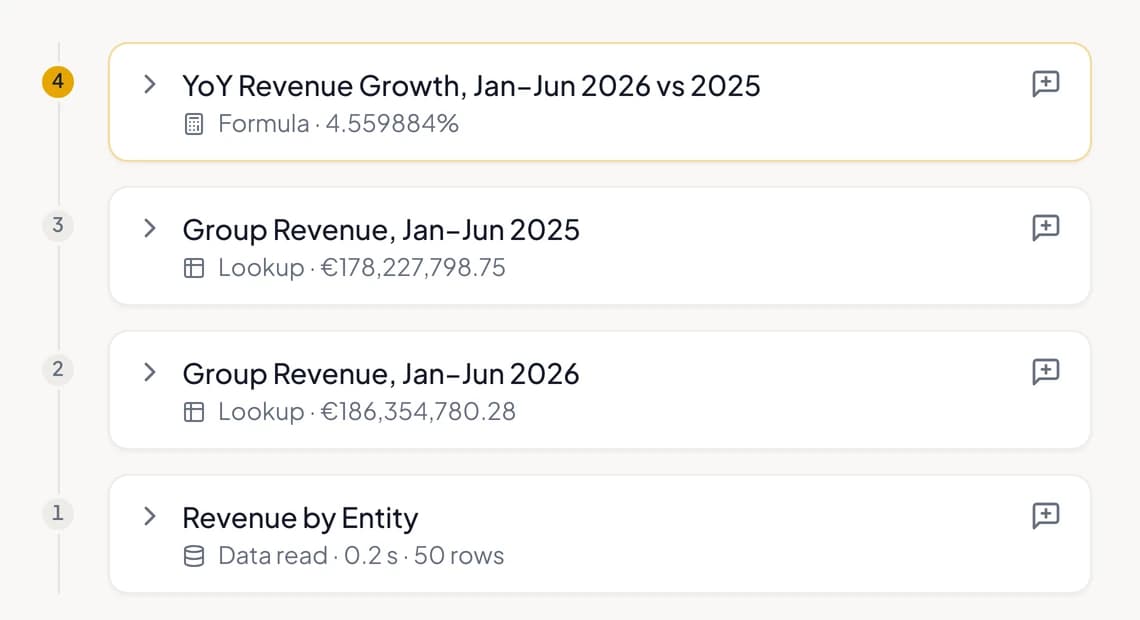
    The evidence timeline folded: the data read, two lookups and the formula that produced 4.6%, numbered from the source up.
    Four steps from the ledger to 4.6%. Each one opens.

    Built for questions that span systems

    How several systems become one set of books, and how you check any number in it.

    Reconciliation
    Bank payments are matched to the invoices and bills they settle, across banks and currencies, with foreign amounts converted at ECB reference rates. What does not match cleanly goes to review instead of being guessed.
    Consolidation
    Several companies in one group view, with intercompany balances eliminated. Each company's books remain available on their own.
    Source records
    Ask to check a record against its source and the assistant reads it as the system last delivered it, field by field, with the date of that sync.
    Data handling
    EU-hosted and isolated per tenant. Never used to train models. Every computation on your data is logged.
    Trace to source
    Click any number in an answer to see how it was calculated and where it came from, with each step's rows as Excel.Trace to source
    Excel and CSV
    A number can come from a workbook you attached. Its step names the file, the version and the sheet.Excel and spreadsheets
    Connections
    ERP and accounting systems, more than 170 banks, billing and CRM, each connected once in the Data Hub.Integrations
    Aurelytix AI
    Questions across your systems are answered in Chat with Data, part of Aurelytix AI.Aurelytix AI

    Questions no single system can answer

    Each one needs more than one system, and every number in the answer opens to the ones it came from.

    • “How much of what we invoiced this quarter has been paid?”

      Invoices from your ERP or billing system against the bank payments matched to them, open and paid per customer.

    • “Which payments are not matched to an invoice yet?”

      Payments from every connected bank that no invoice or bill accounts for yet, with their date, amount and reference.

    • “What is our cash on hand, by account?”

      Balances of the accounts held in the company's currency, as your banks reported them. The data read names each bank connection and when it last synced.

    Bring a question that spans your systems

    A walkthrough on your own systems: ask across them and follow each number back to the one it came from.